Thank you for being a supporter of NewBridge Services! Please help raise donations on #GivingTuesday, Dec. 3, by creating a FaceBook Fundraiser. Facebook has made it easy for you to ask your FaceBook friends to help you raise money for NewBridge. Best of all, FaceBook is waiving fees that day so NewBridge will receive all the contributions.
Here’s a step-by-step guide with screenshots to help you create a NewBridge Fundraiser on your FaceBook page. Please set up the fundraiser on either the morning of Dec. 3 or the evening of Dec. 2 to take advantage of FaceBook’s waiver of fees for #GivingTuesday.
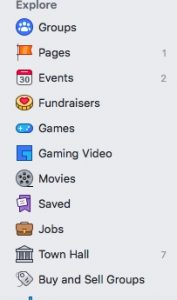
Step 1: Log onto Facebook and find “Fundraisers” in the left-hand column.
Step 2: Click on `Raise Money’ and then “Get Started.”

Step 3: This box will pop up. Click on Nonprofit, and type “NewBridge” in the search bar. Click on “NewBridge Services, Inc” when it appears in the list.
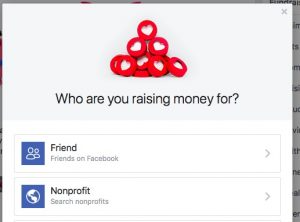
Step 4: This box will appear, prompting you to fill in information about your fundraiser. Select the amount you’d like to raise.
Step 5: Schedule the fundraiser to run at least through December 4, so it’s active throughout #GivingTuesday.
Step 6: Click the Next button in the bottom right corner, and write a personal message to explain why you support NewBridge and would like others to contribute to your fundraiser.
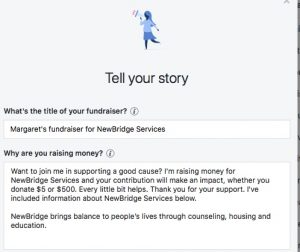
Step 7: Pick a cover photo. FaceBook will likely suggest NewBridge’s cover photo.
Step 8: Click “Create.” Invite Friends and Share it on your timeline.
Please contact NewBridge Director of Development Vicki Hess-Lowrie at vhess@newbridge.org or (973) 939-2427 if you have any questions.
Thank you for supporting NewBridge!!!